
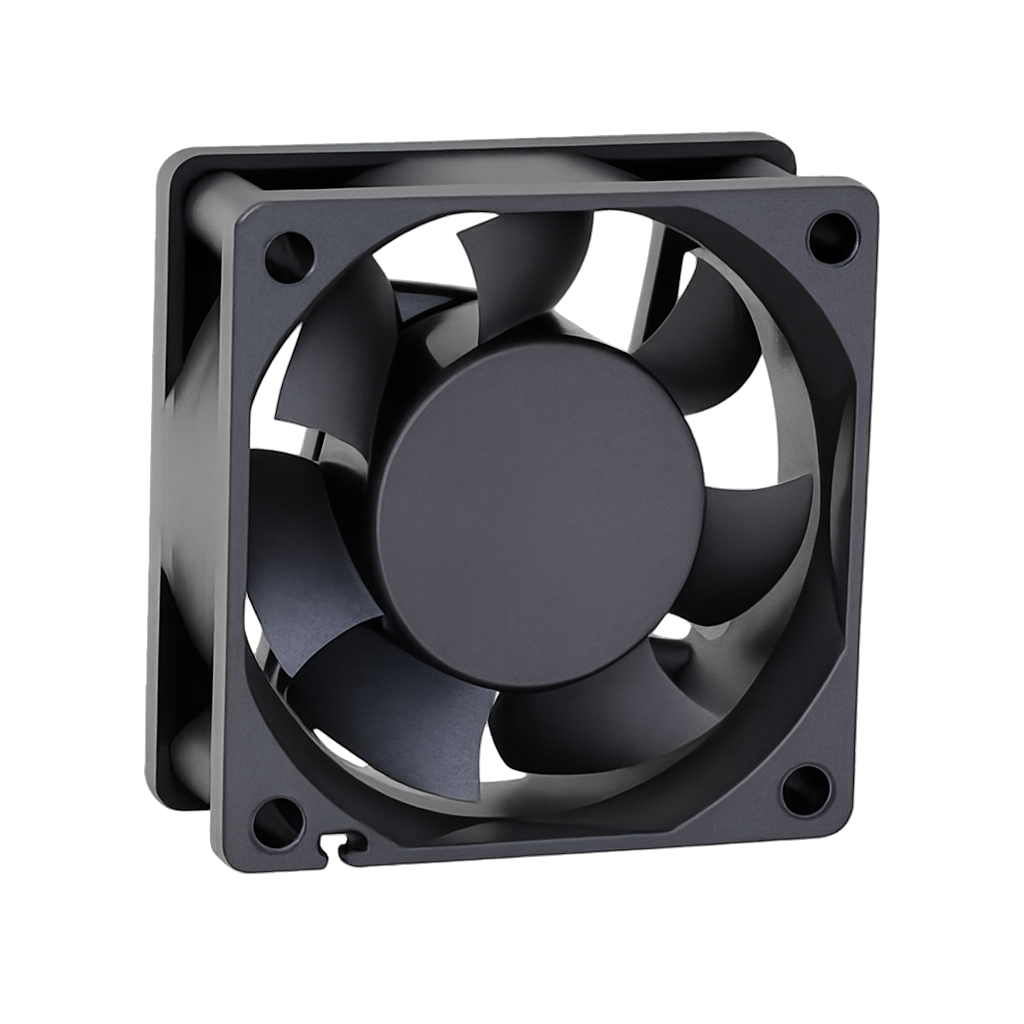
Durvela Waterproof Replacement Fan for Solar Compost Aeration Kit (12V)
Genuine Durvela Replacement Aeration Fan
Keep your compost breathing with the Durvela Waterproof Replacement Aeration Fan. Designed as the genuine replacement fan for the Durvela Solar-Powered Aeration Kit, this fan restores active airflow to your compost system, helping maintain aerobic conditions for faster decomposition, reduced odors, and healthier compost.
Engineered specifically for direct operation from Durvela's 5W solar panel, the fan features a low startup current, allowing it to begin spinning in lower light conditions than conventional fans. Its waterproof construction and durable ball bearing motor provide reliable long-term outdoor performance.
Why Active Aeration Matters
Healthy compost requires oxygen. By continuously supplying fresh air whenever sunlight is available, the Durvela Solar-Powered Aeration Kit helps beneficial aerobic microorganisms thrive, accelerating decomposition while minimizing anaerobic odors.
This replacement fan allows you to restore your aeration system without replacing the entire assembly.
Looking for the complete system? View the Durvela Solar-Powered Aeration Kit.
Features
- Genuine Durvela replacement fan
- Designed for the Durvela Solar-Powered Aeration Kit
- Optimized for direct operation from a 5W 12V solar panel
- Low startup current for improved operation in weak sunlight and cloudy conditions
- Waterproof construction for year-round outdoor use
- Quiet, energy-efficient operation
- Long-life ball bearing motor
- Direct replacement using existing mounting hardware and wiring
Compatible With
-
Durvela Solar-Powered Aeration Kit
- Durvela 300 Compost Tumbler
- Durvela 900 Compost Tumbler
- Durvela 2000 Compost Tumbler
Technical Specifications
- Voltage: 12V DC
- Power Consumption: 3.0W
- Current Draw: 0.25A
- Speed: 3,500 RPM
- Fan Size: 60 × 60 × 25 mm
- Motor Type: Ball Bearing
- Construction: Waterproof for outdoor use
Need a Complete Aeration System?
If you're adding active aeration to your compost tumbler or replacing more than just the fan, the Durvela Solar-Powered Aeration Kit includes the waterproof fan, high-efficiency solar panel, mounting enclosure, and all hardware needed for installation.
Choose options